Subscribe Rocket can push every one-tap subscriber straight into your Mailchimp audience the moment they sign up - no exports, no manual imports. Here's the full setup, start to finish.
Step 1: Log in to your Mailchimp account
Go to Mailchimp Login and sign in.
Step 2: Find your API keys section
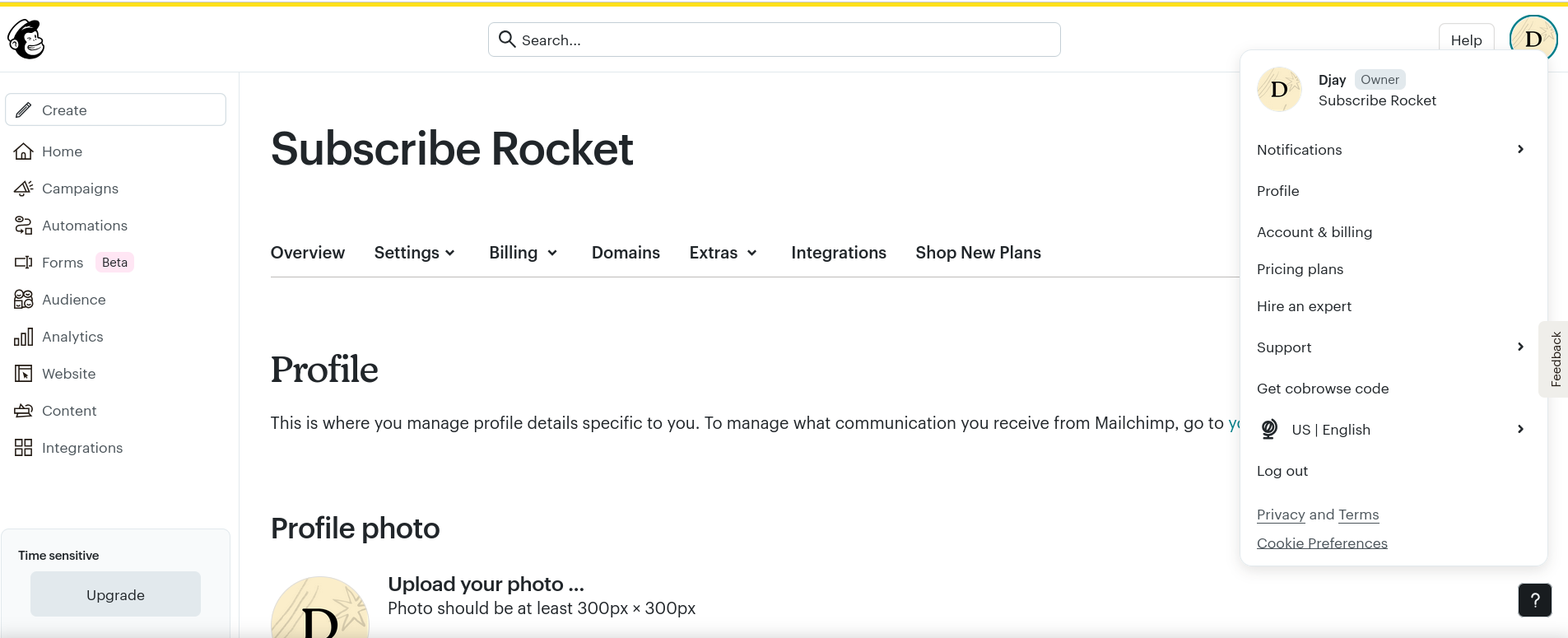
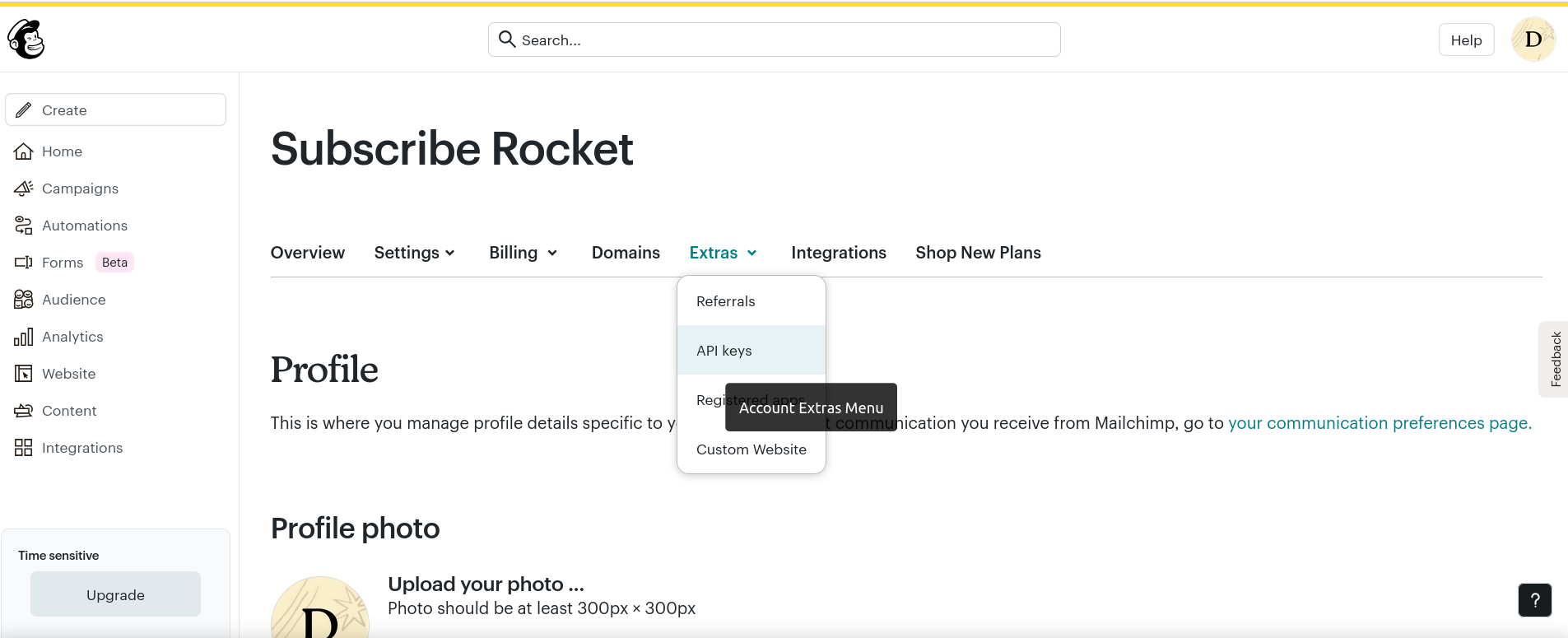
In your Mailchimp dashboard, open your Profile, click into Extras, and select API keys as shown below.
Step 3: Create a new API key and copy it
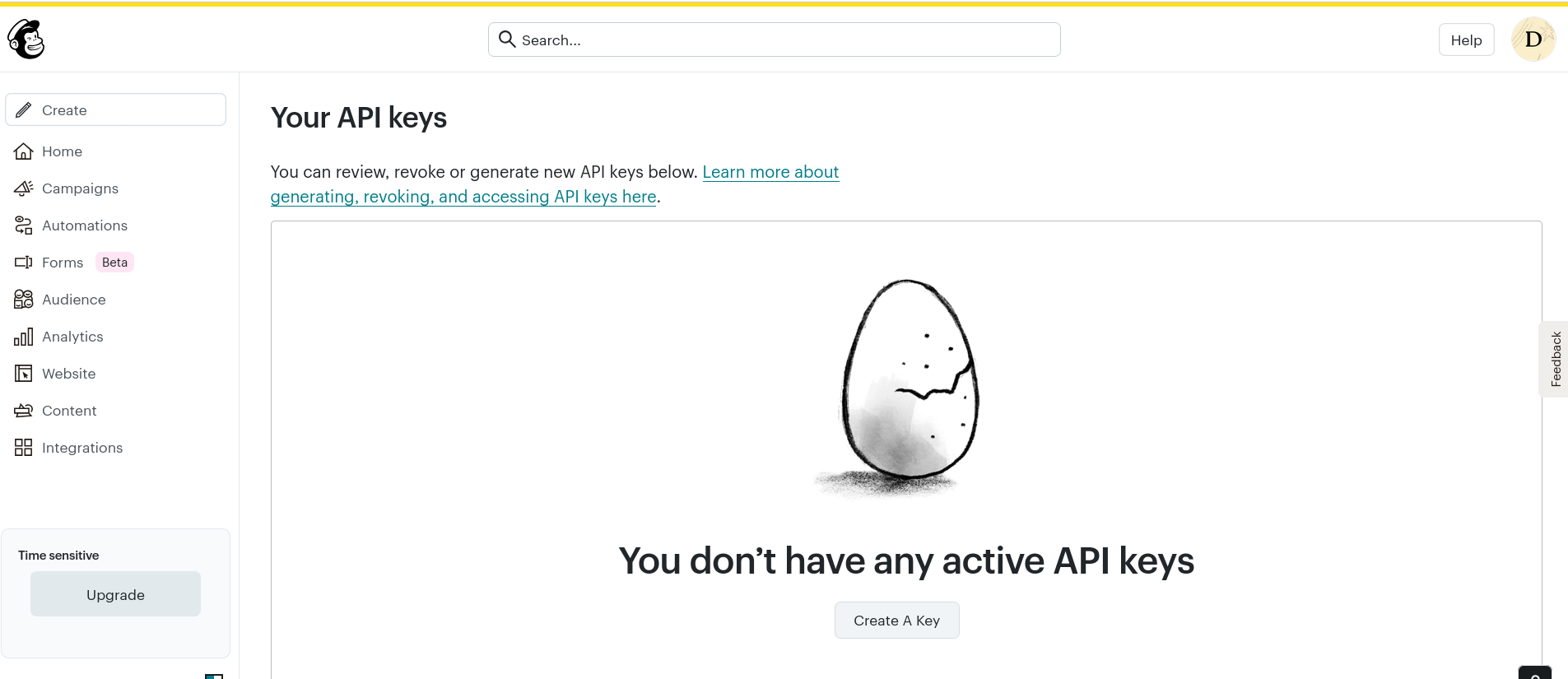
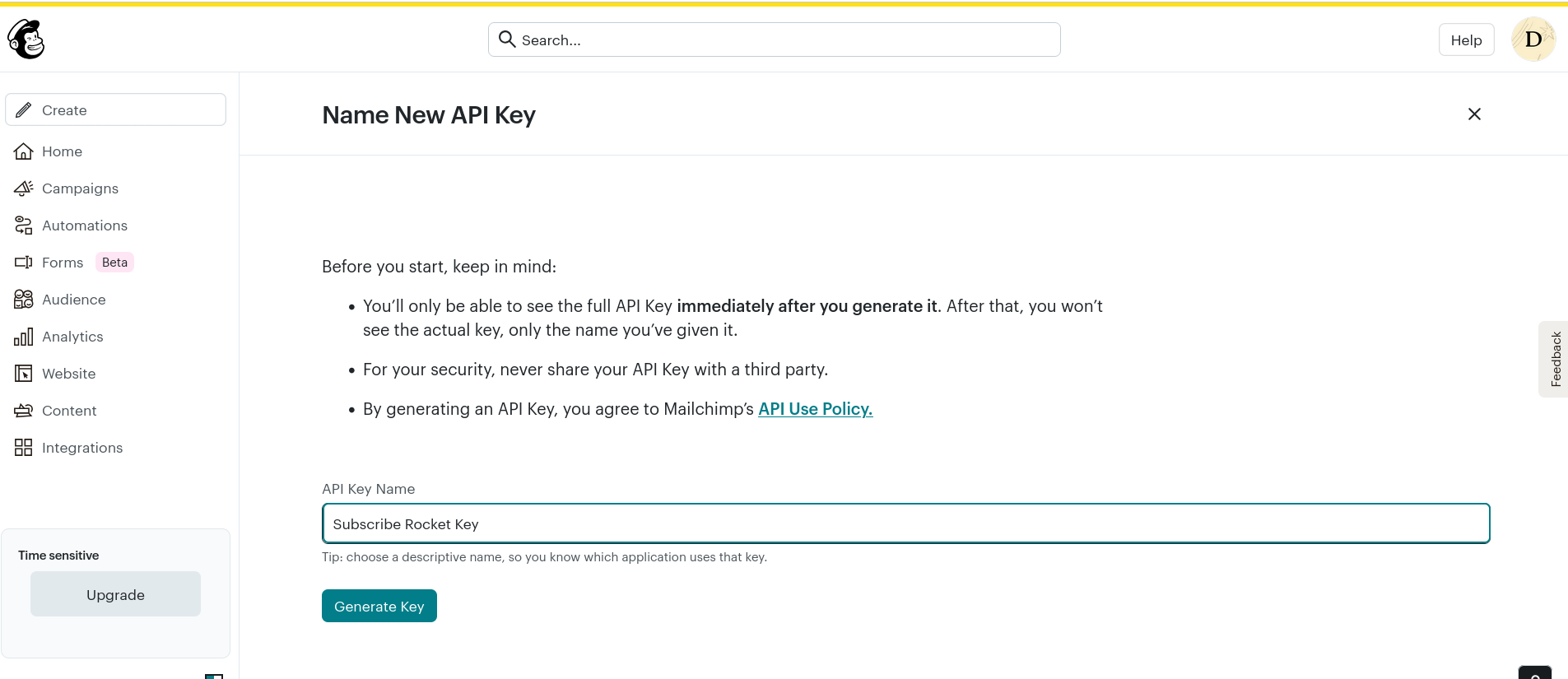
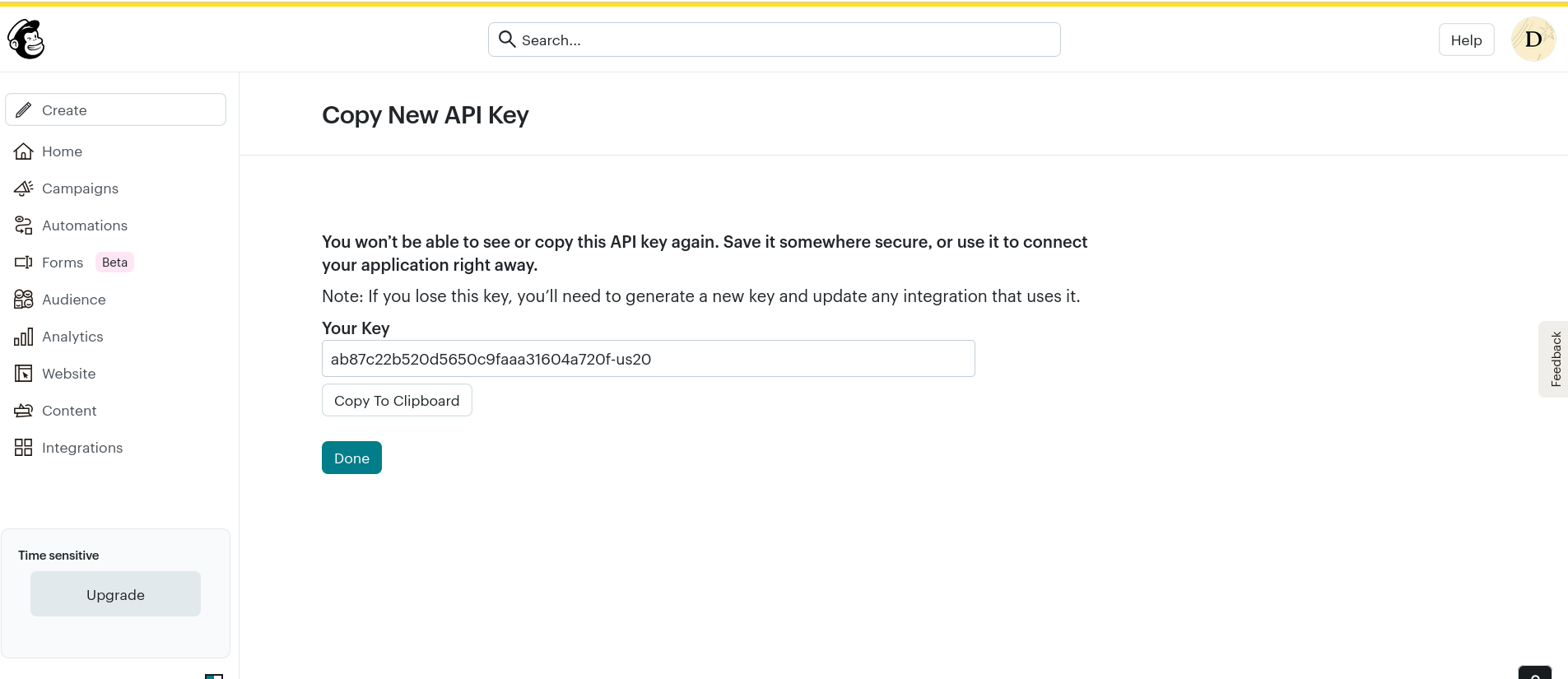
Click Create a Key. Enter "Subscribe Rocket" as the name and click Generate key. Copy the key that appears before you click "Done" - Mailchimp won't show it to you again.
Step 4: Paste the key into Subscribe Rocket
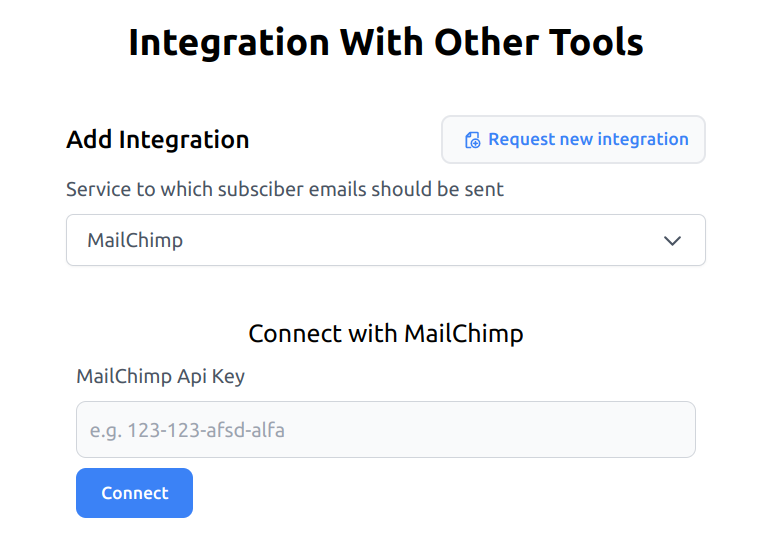
Open your Subscribe Rocket dashboard and select Integrations from the side menu. Choose Mailchimp from the dropdown, paste the key you copied, and click "Connect".
Step 5: Pick a list and you're done
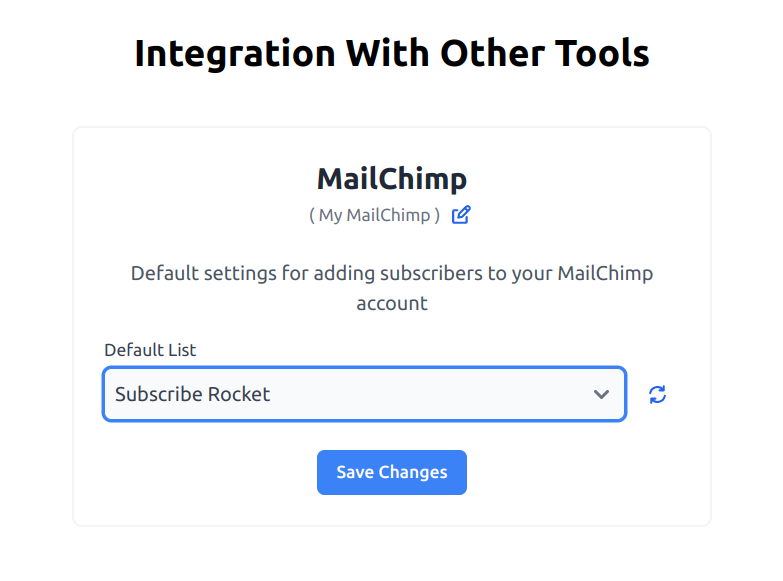
Select the audience list you want incoming subscribers saved to, then click Save changes to connect. You can change the selected list any time from the "Setup" button on your Integrations dashboard.
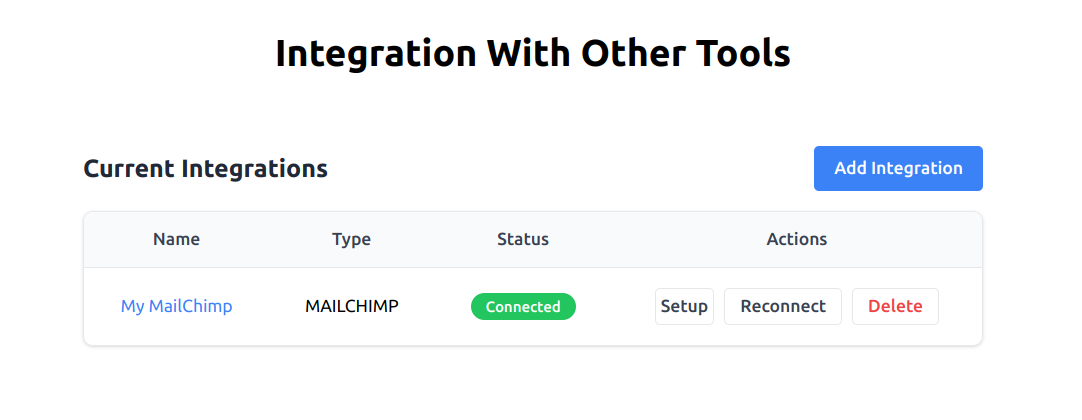
That's it - every one-tap subscriber from your site now lands in Mailchimp automatically, fully verified, with no typing or double opt-in email required on their end. If you haven't set up the button itself yet, the pricing page covers every plan, all with a 7-day free trial.